One of eight AI use cases in the HikeOn ERP. Across 16,000 SKUs and multiple warehouses with seasonal demand, stockouts hide in the gaps no operator can watch continuously. This feature monitors reorder thresholds, suggests how much to order and from which supplier, and drafts a purchase order the buyer can approve in one click, built on the shared "AI cell" pattern, so the buyer always sees why.
The founder brief named it directly: warehouse leads were guessing at restock priorities. With 16,000 SKUs across multiple warehouses and seasonal demand, no operator can track which items are about to run out, in which location, and how long each supplier needs to deliver.
Reorders went out late, in the wrong quantity, or from a slower supplier than necessary, and stockouts in the highest-velocity SKUs cost the most. Before this feature, buyers pulled inventory reports into spreadsheets, cross-referenced supplier lead times from memory or email, and built POs line by line. A single buyer's weekly reorder pass could take most of a morning; by then, fast-moving SKUs had already dipped below safety stock.
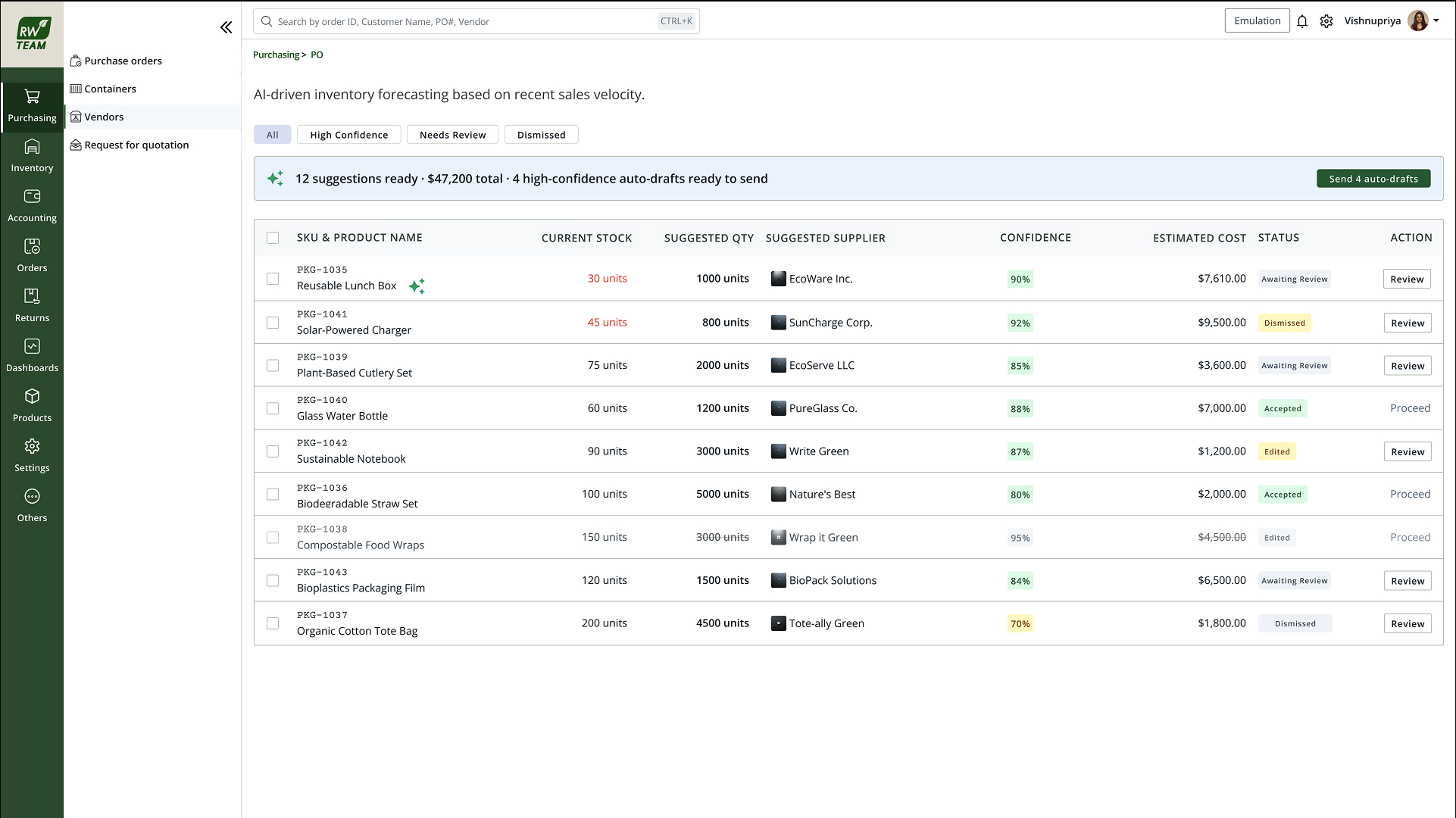
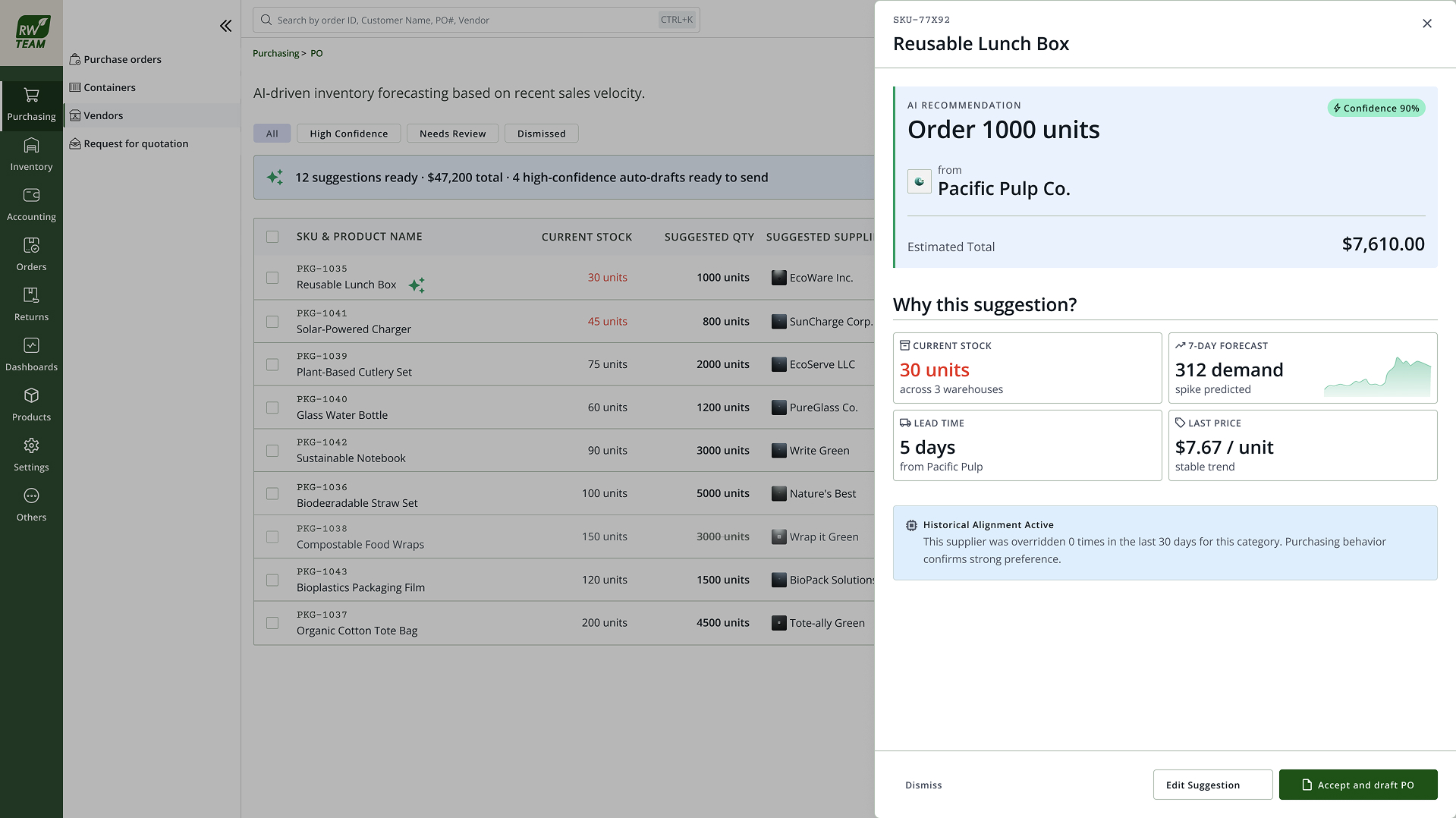
"SKU RW-4421 will stock out at Dallas in 4 days, reorder 2,400 units from Pacific Packaging Co." Plain language: which SKU, which warehouse, how soon, how much, from whom. The drafted PO sits one action below the suggestion.
Tied to the demand-forecast confidence behind the threshold calculation. High-confidence suggestions show a quiet score; low-confidence ones, volatile demand, sparse sales history, surface amber and open in edit mode by default.
Reveals current stock, 7-day sales velocity, forecasted depletion date, supplier lead time, and MOQ. The inputs that produced the quantity and supplier pick. Buyers can verify the math without leaving the screen.
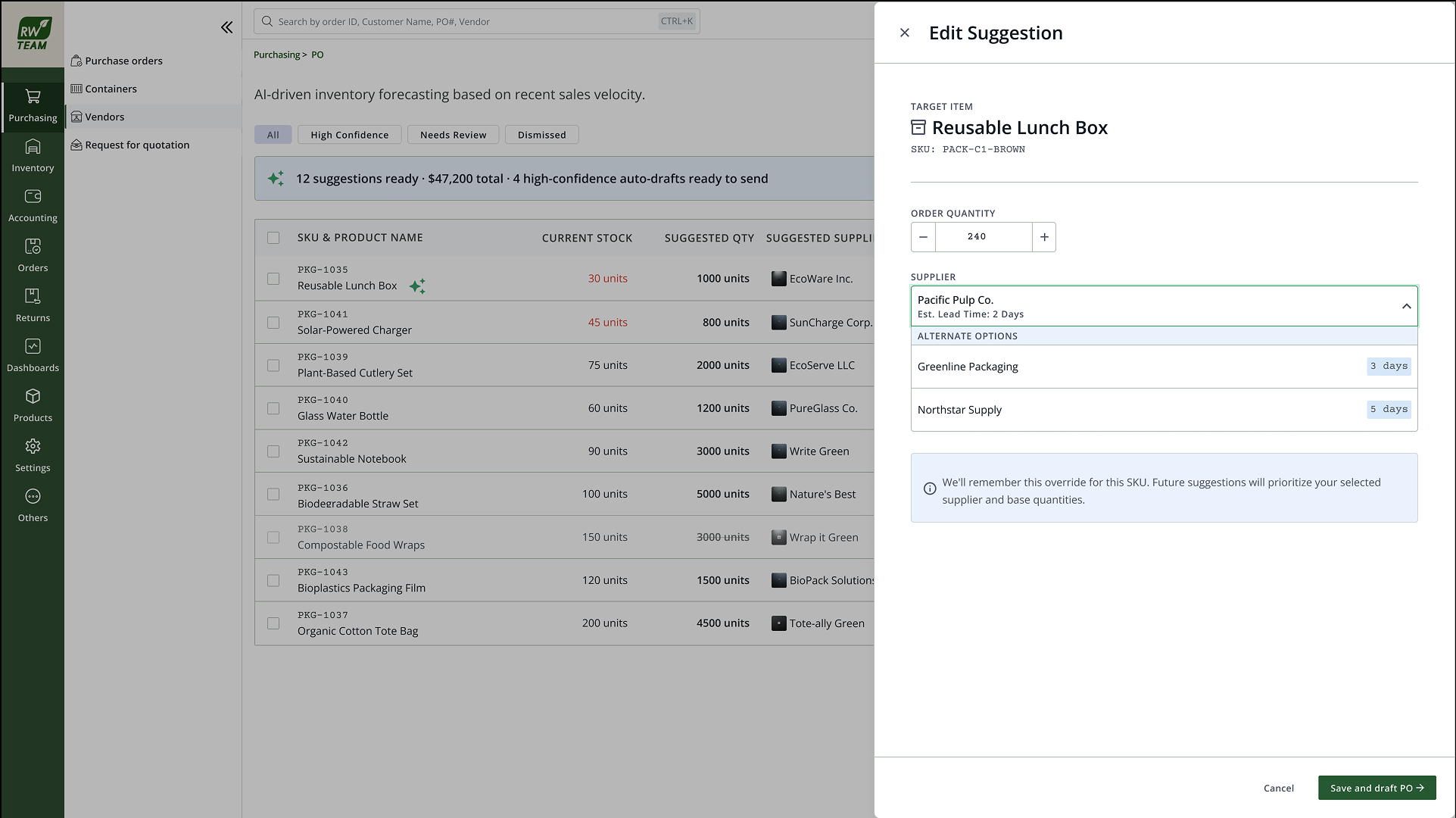
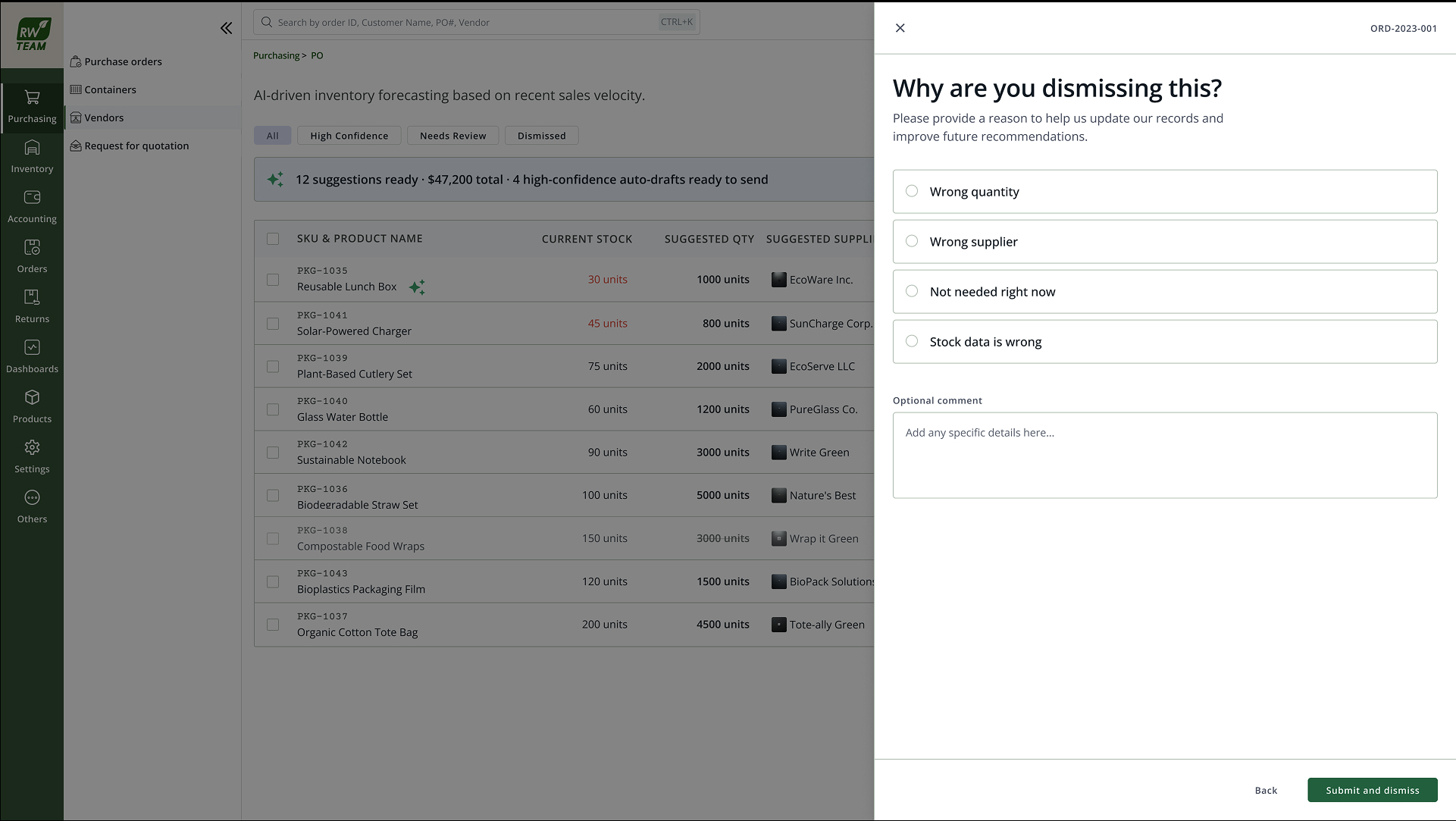
Accept submits the drafted PO in one click. Edit opens the PO form pre-filled, change quantity, swap supplier, or split lines across warehouses before approving. Dismiss removes the suggestion; the override is remembered for next time.
Restock suggestions live in a dedicated queue within the Purchasing & PO module. Not buried in notifications. Each item is an AI cell stacked above a collapsed PO preview: line items, supplier header, delivery warehouse, and total value visible without expanding.
The first version shipped with confidence scores but no memory of overrides. Buyers corrected the same suggestions again and again, and accept-rates plateaued around 40%. Once the model remembered overrides , learning a buyer's supplier preferences and quantity adjustments, accept-rates climbed to 64%. Confidence scores are table stakes; override memory is what builds trust. (Lesson from the HikeOn case · Section 08)
Beyond the override-memory story, harder states needed explicit design:
After override memory shipped, 64% of restock suggestions were accepted without editing, up from ~40% when every correction was forgotten by the next run. Buyers report the weekly spreadsheet pass is gone; reorders surface in the Purchasing queue as drafted POs instead of blank forms.
The accept rate is the headline metric on the card because it measures whether the draft is good enough to ship. One-click approve only works if the suggestion is right often enough that buyers trust it, override memory was the difference between a demo feature and a daily workflow.